Sony Ericsson w960 touchscreen not working; DIY
April 30, 2009 – 4:46 pm by AbsintheSyringeI’m completely out of time, but I gotta tell you about this one.
My touchscreen adventures with w960
As I remember I got w960 in February last year. I really take great care of this phone, but touchscreen stopped working twice already in this as some might say short period of time. I’m one of them btw.
First time it stopped working I was sitting in a chair which FYI was incredibly low, I dropped out of my hand, it hit the floor (with some sort of rug on it). My colleague at the time is driving us home from work, rain is … ballistic, insane trash containers are on the streets, aaah mayhem!
I grab my phone to take few pictures or something, touchscreen is not reacting … I restart it, it’s still not working. We’re going through this lake, car is about to stop running. Ok now I hard restart, nah still not working. I curse and swear at it for the rest of the way back home and keep threatening it that I’ll switch to Nokia.
Find a solution
I think about going to Zagreb or Belgrade just for few hours and go to official Sony Ericsson centre to have it fixed within half an hour. It’s a long story but my w960′s hometown is Wien, you can’t even buy in Bosnia. Nevertheless, after contacting Sony Ericsson in Zagreb, they give me this company in Mostar (I won’t name anyone) and that they’ll handle it just fine. I send it to them, they had to order stuff from Zagreb, cuz as the “boss” said, this phone is a collectors item. Yeepee.
Boring stuff, anyways it took them 4+ weeks to fix it, I can’t even remember how much did it cost, I get extra battery, got “new touchscreen” which was apparently busted. Heh, they even gave me “free” earphones with it, which were ok, except they were earphones for Sony Ericsson z310Ok. You gotta pay for it, it’s not official Sony Ericsson, you can’t have it under warranty. But it’s all fine as long as it’s working, ou yea, they flashed it with “original” firmware. For those who didn’t know I’m a bleeding edge/update freak.
Fine and as long as it’s working, which it is. Great.
Touchscreen is not working again.
Believe it or not, it was killing me, but I didn’t upgrade firmware since they gave it back to me. This screen just stopped working, and when touchscreen is not working, nothings working. Since my awesome experiences with customer service, please also note local thinkpad support as well, fast as a flash my idea was to fix it myself.
I tell my wigga “change” to get actual lcd touchscreen from ebay.at, and this casing which was not needed, but I have this habit of spending extra cash without reason, so yea it’s all cool. I say I’ll replace it myself, for 75euros (which how much it all costs on ebay). And most important of all, I won’t have to wait forever until they do it.
For a minute I even pause, doubting myself if that’s it, if I have made right diagnosis … fsck it, no nuts, no glory,
How to fix your w960 touchscreen
First thing first
I flash it, first I was about to use xs++, but in last minute I change my mind and go for SEUS, I really don’t know why but somehow I’m personally attached to it. Flash it, still nothing.
I get myself a set of torx screwdrivers and a really sharp knife
I figure I’m gonna open it, really out of curiosity, and just so I know what I’m gonna see when I open it to replace the lcd. “Back” thoughts were to acknowledge my thesis that the screen is dead.
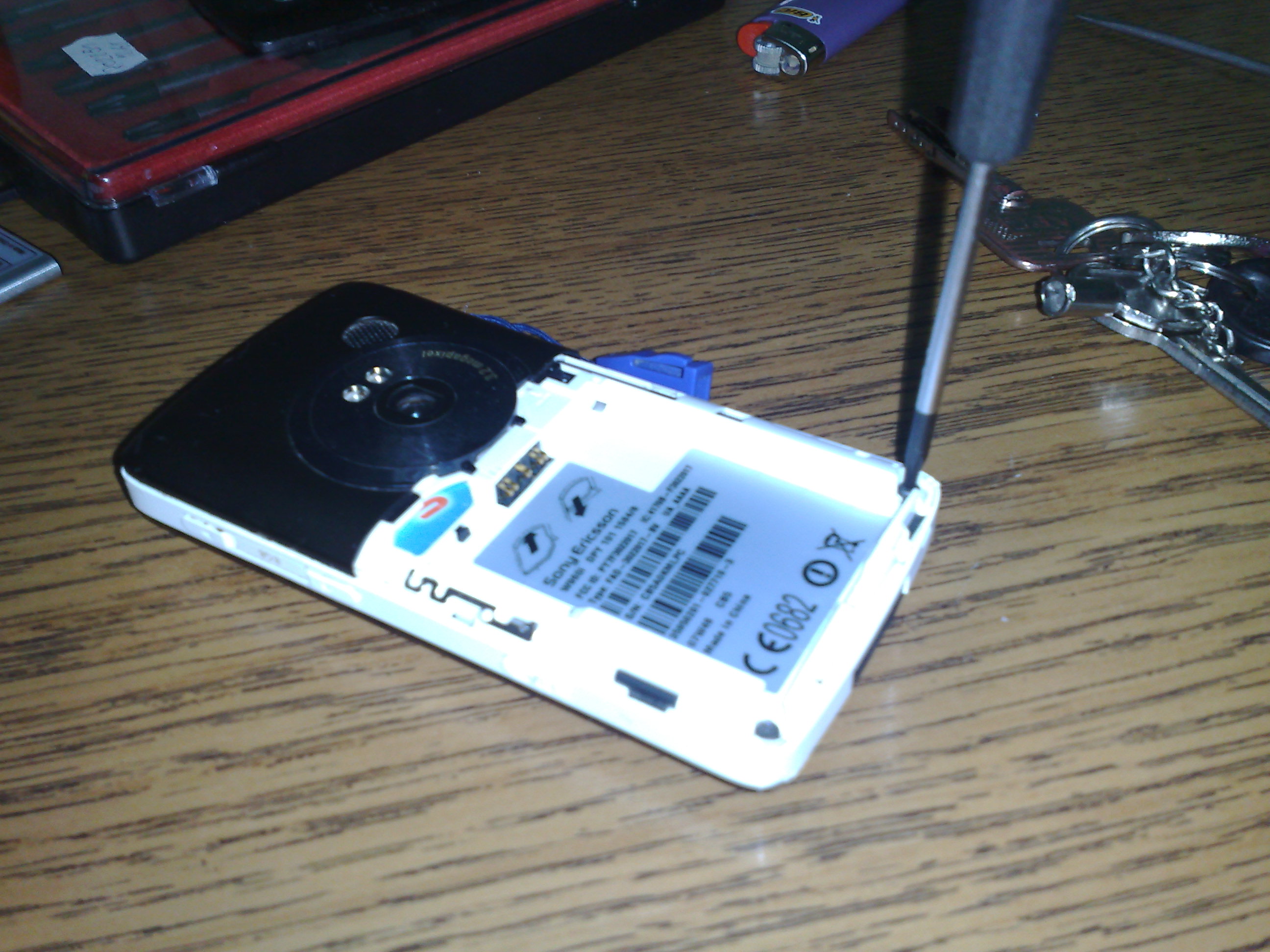
Unscrew, the two torx screws.
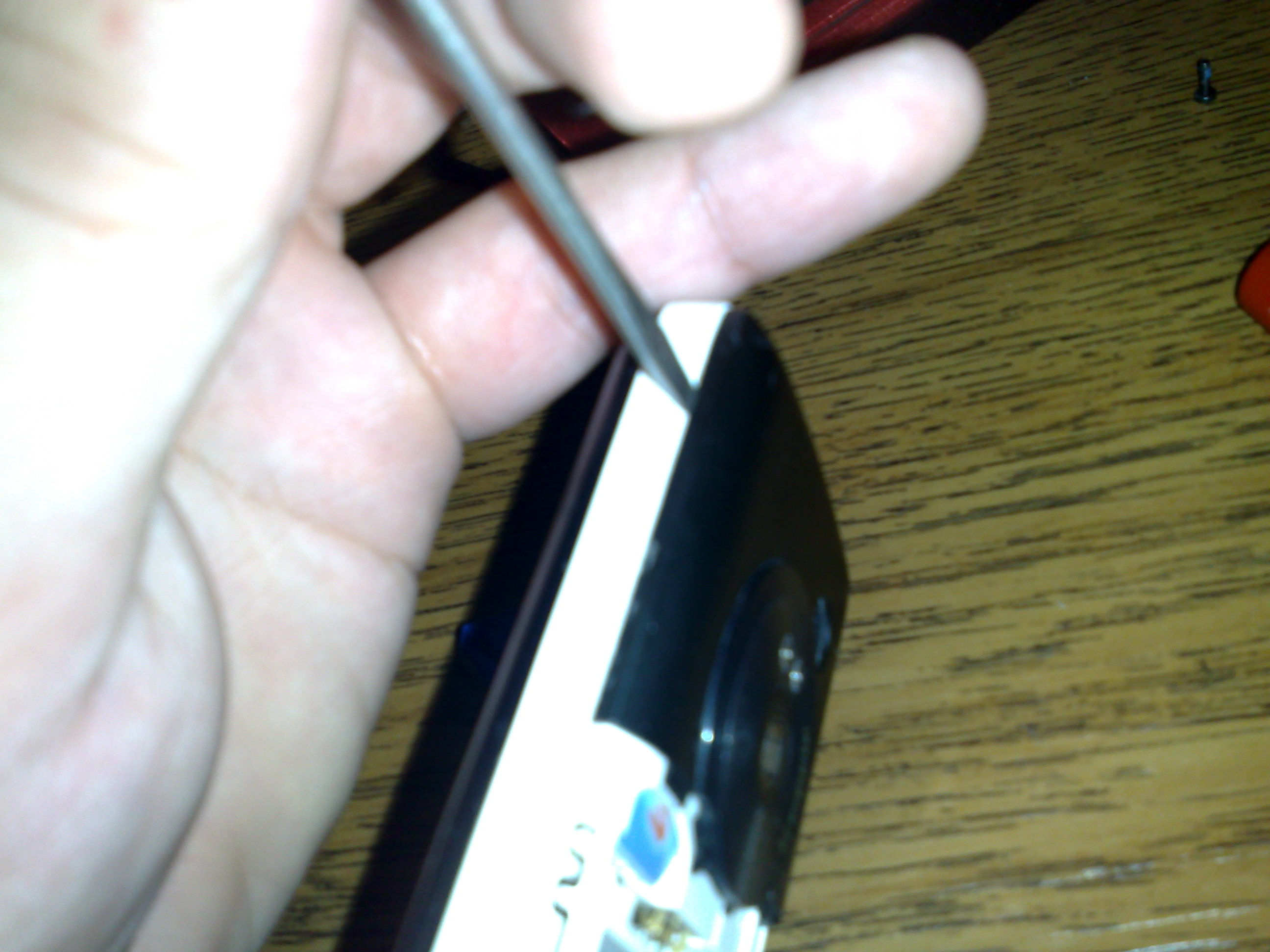
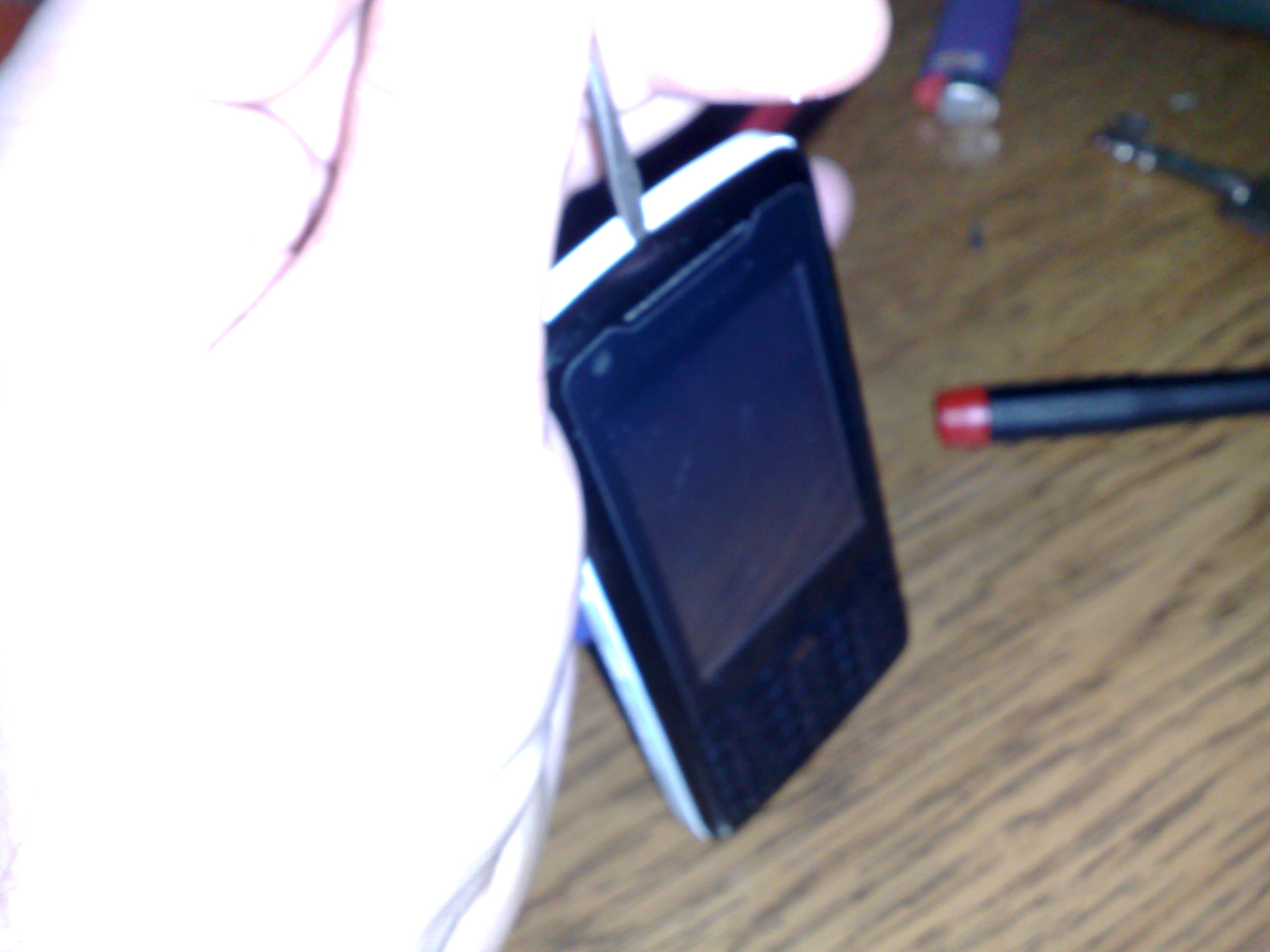
Use fingernails/screwdriver do detach upper lid
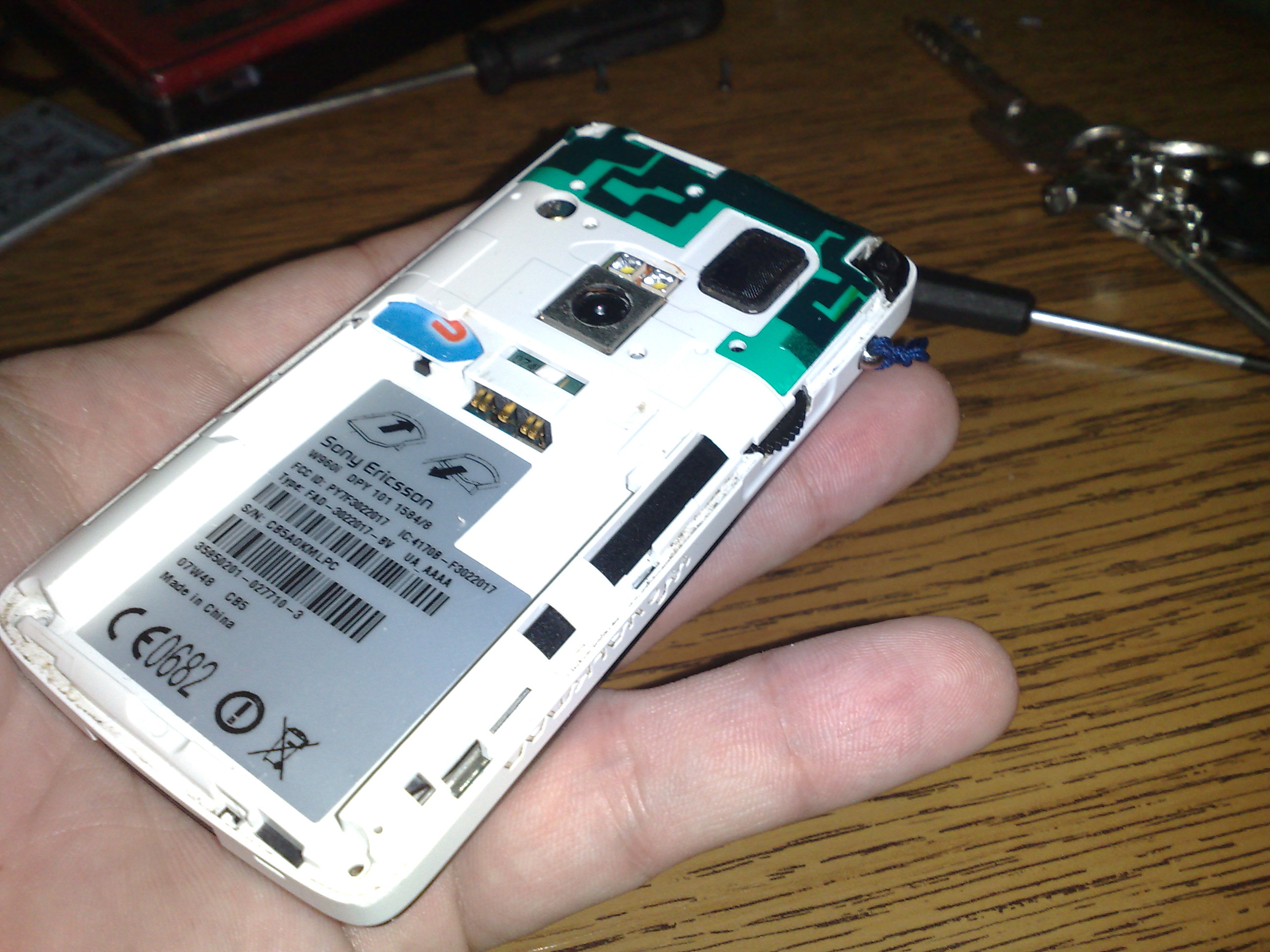
Now, unscrew two more torx screws, and I mentioned sharp knife earlier on, it wasn’t for stabbing anyone, duh
Use it to unscrew incredibly tiny screw
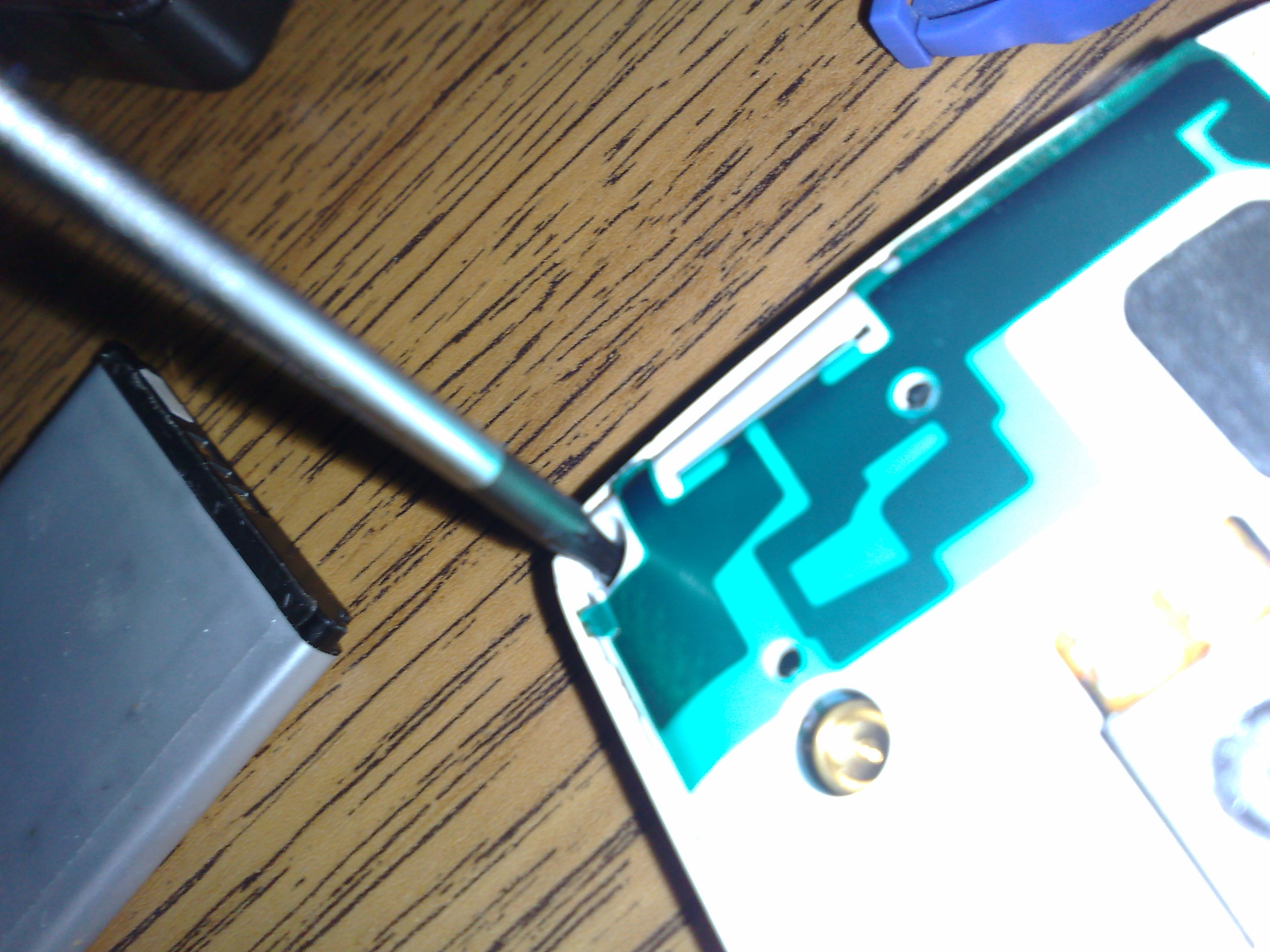
Again use something sharp to detach the whole front

Now you’ll see this connector that connects lcd to rest of the phone
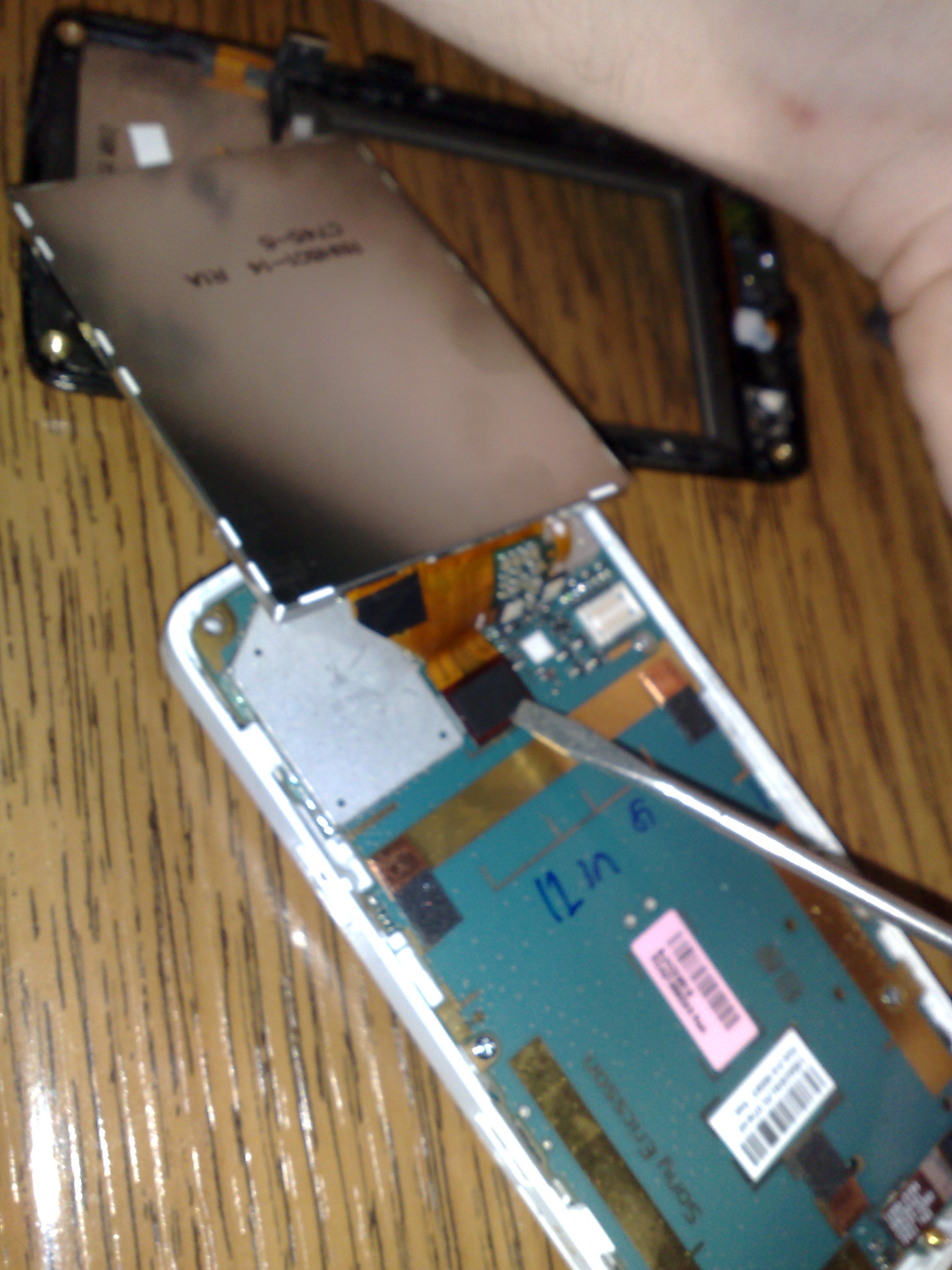
Behind the lcd.
Rest of what I did, I have no idea why I did it, it just felt right.
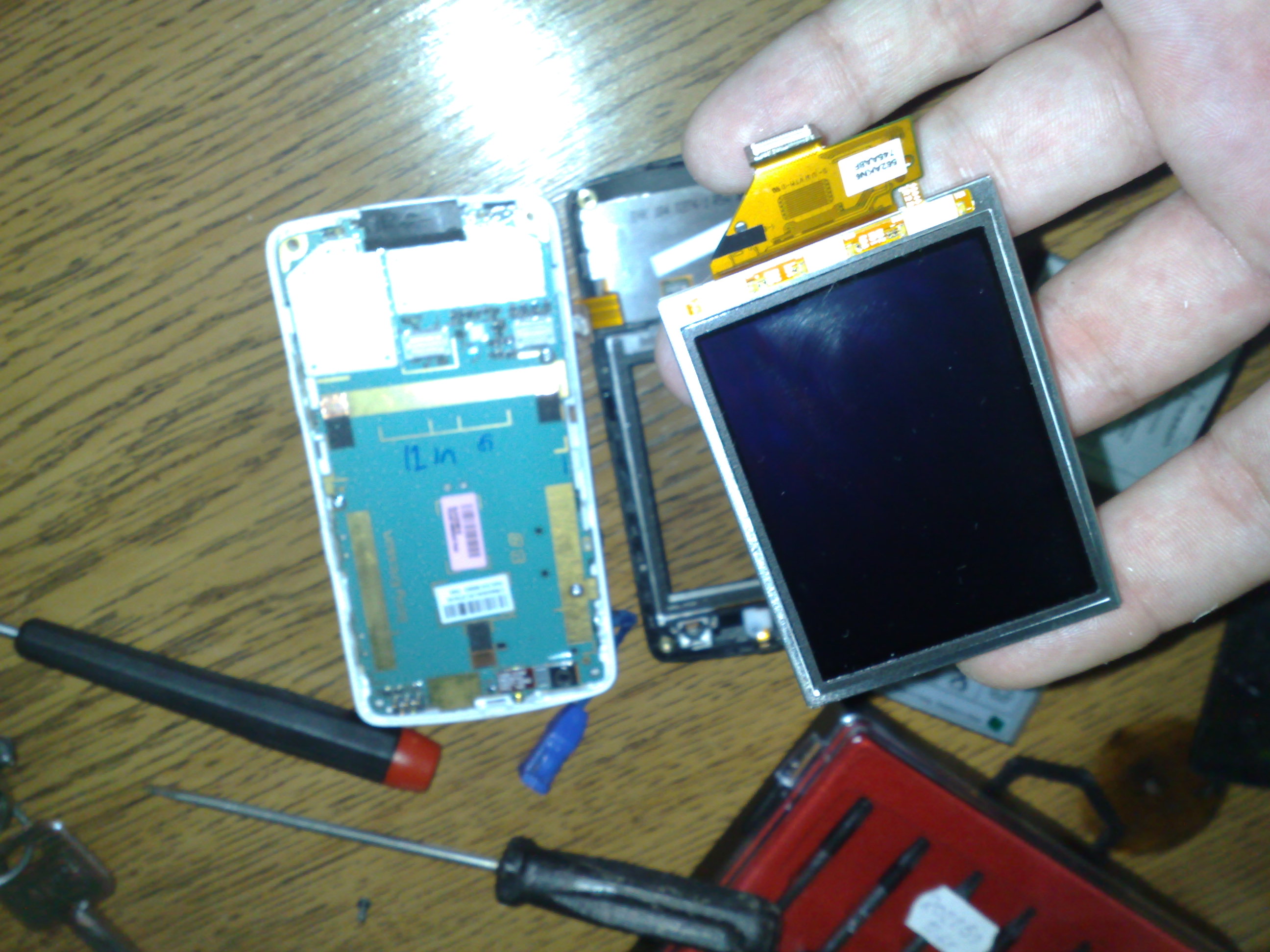
I detached everything I could completely, including display
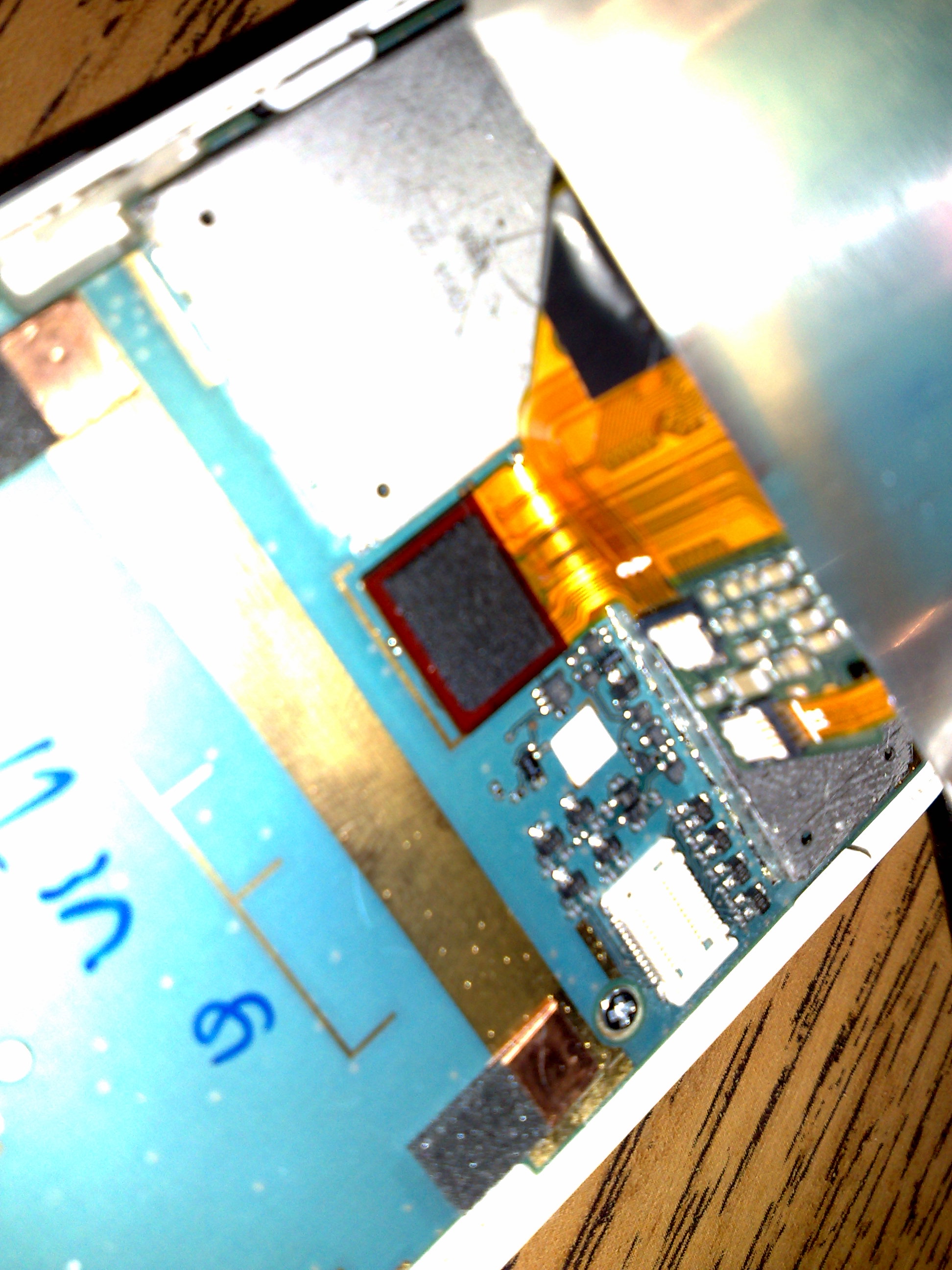
Attached it, and made sure it’s attached
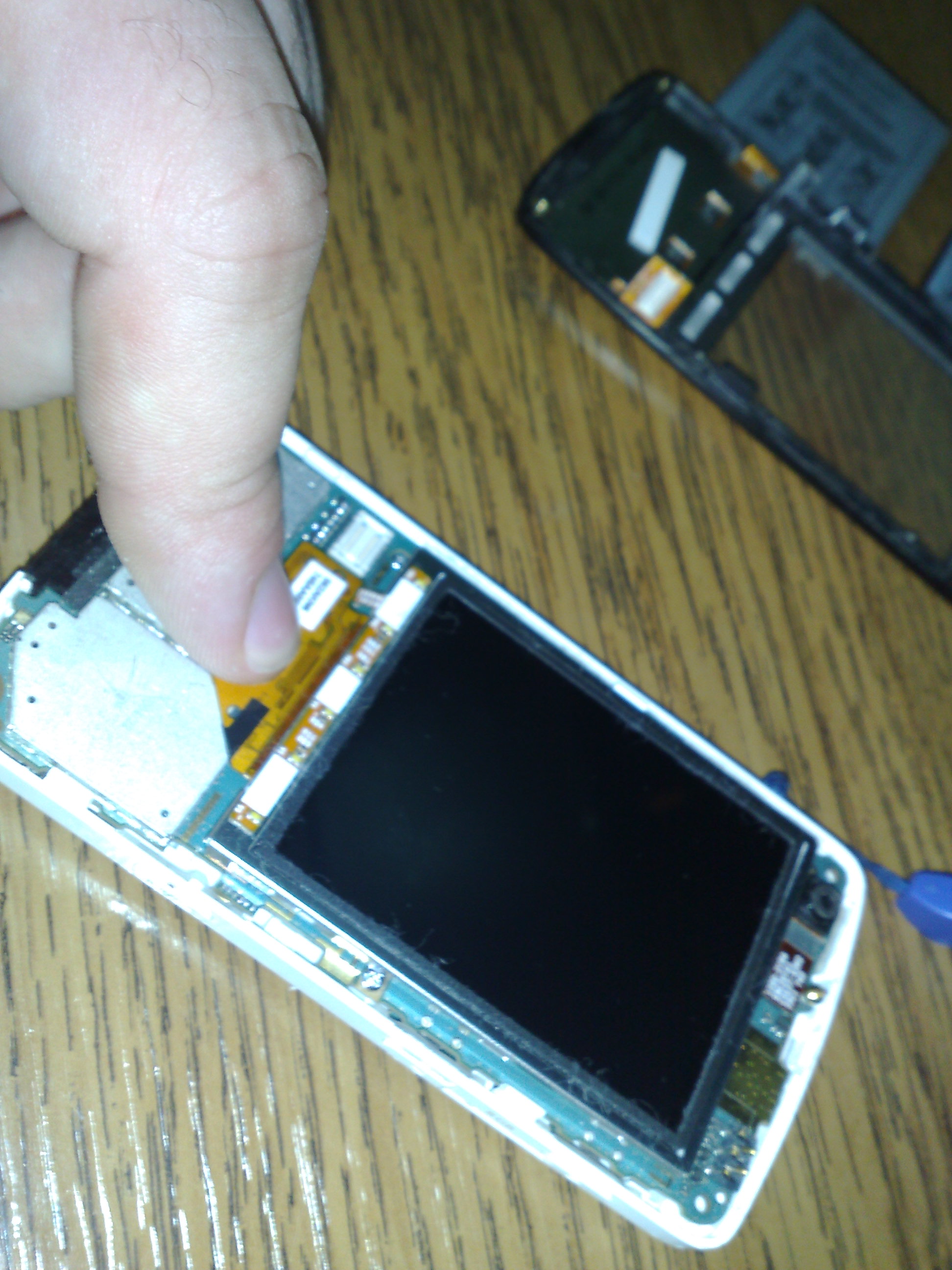
Made sure everything is in its place
Made sure display is in its right place, you can actually see little corners
During this whole time, I completely neglected “left” connector, which is used for keyboard, make sure it’s attached
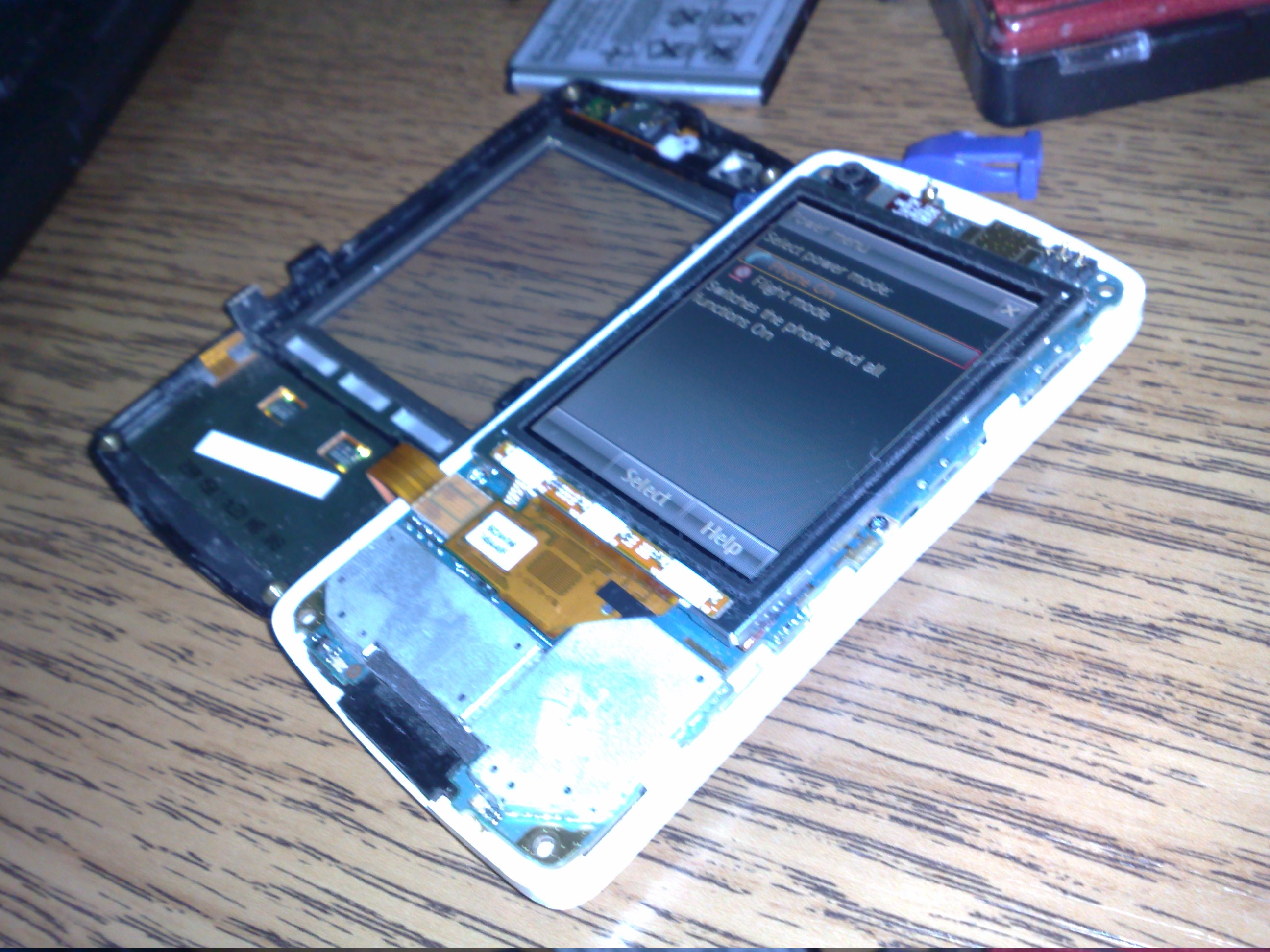
At this point, you can put back the battery and power it on if you wanna play. Touching screen with your fingers will get it greasy, screen won’t react, touching it with the pencil won’t get screen reacting either. This way you can only damage it, there’s really no reason to do it at all, but still 
Conclusion
To put your phone back, just reverse the order. Once I put it back, it worked. Phone was working, and so was its touchscreen. That night, I don’t remember dropping it or anything, but I believe I did either hit it or something and that the “blow” detached one of the connectors or something.
Incredible but true, that was the whole magic.
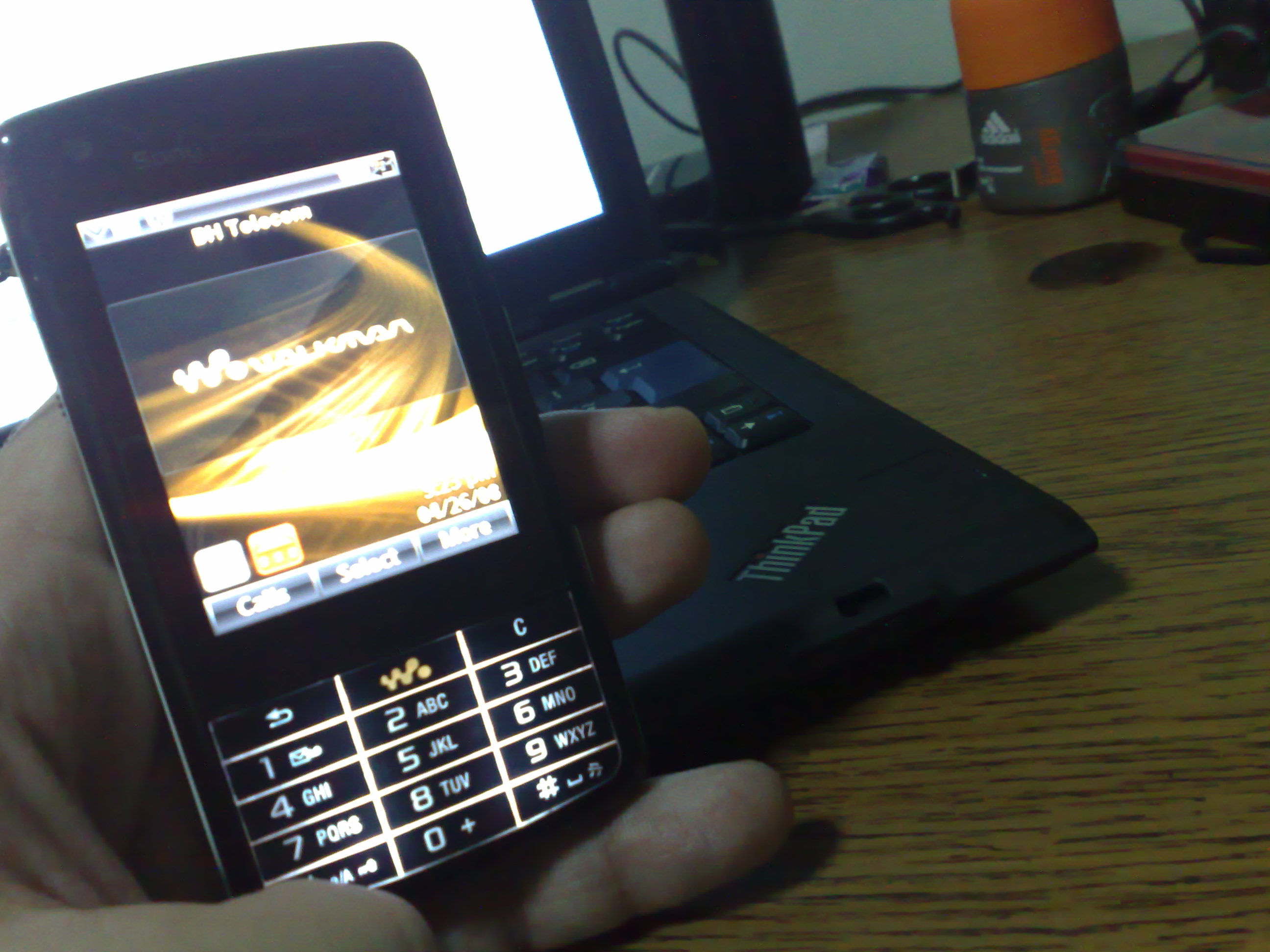
Either way, if you’re touchscreen is not working, and this doesn’t fix it, get new lcd off the ebay for ~36 euros and save your time, money and nerves instead of sending it to customer service. And as I googled, this problem is pretty common with this phone.
Sony Ericsson Idou
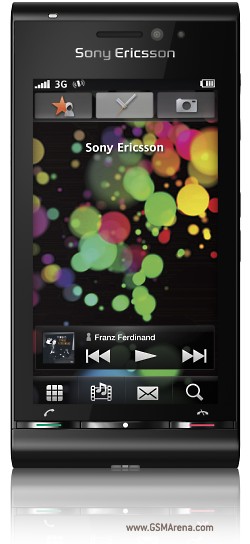
Talking about Sony Ericsson, I have “thrown” my sight on Idou, it should be out by the end of the year. I waited for w960 around 6 months to come out, and until now, nothing managed to just “fascinate” me.
Some of the reasons for “fascination” are: 3.5 inches TFT touchscreen, 16M colors with 360 x 640 px resolution. 12.1 MP, 4000 x 3000 px camera, autofocus, xenon flash, video LED flash with Geo-tagging, face and smile detection. I’ll find out more, soon enough, for now … ’nuff said
More info:
Sony Ericsson W960, gsm arena


83 Responses to “Sony Ericsson w960 touchscreen not working; DIY”
heh…i knew you droped it or smthing…
you always do that..and of course you don’t remember afterwards..
glad to see it’s working again
Browser -By change on Apr 30, 2009
Hey, thanks so much for the guide! It is so idiot-proof that even I managed to follow it. My W960 is now back to life.
I guess the screenprint is just big pain of this phone – it is happening all the time to way too many people.
Thanks again!
Browser -By Jan on Jun 26, 2009
Jan,
I wrote it and I thought no one would find any use of it, really glad it helped someone to get his w960 back into life
Browser -By AbsintheSyringe on Jun 26, 2009
Hi, Thanks. this guide really works =)
Browser -My w960 is now working agian
By Krille on Aug 28, 2009
hey
Browser -bravo its a decent tutorial, grt i have the same issue and i am gonna check it out for sure, the other thing on my mind is my back is has stopped responding any ideas.
hope to hear from u
cheers
Sukhi
By Sukhi on Sep 7, 2009
hey buddy
Browser -my back key has stopped responding any ideas, slipped the word key there my bad
cheers
By Sukhi on Sep 7, 2009
Krille, tried flashing?
Sukhi, same with you, tried flashing?
Browser -By AbsintheSyringe on Sep 7, 2009
yeah bro tried flashing it with the latest firmware from se online, but the results were the same, well i found an interesting technique, i blowed dried the screen with the hair dryer its working like a charm but the back key is still the problem.
Browser -make sure u dont give too much of heat, after a say around 30 – 45 sec of direct heat blow make sure u run the screen firmly with a peice of cloth firmly accross the screen does the trick.
By sukhi on Sep 7, 2009
*thumbs up
For your back key, I still suggest you open the phone, and try adjusting the button alignment over the rubber pads below them.
Browser -By AbsintheSyringe on Sep 7, 2009
yeah shall try doing i tried printing the webpage but i keeps giving some error so i am gonna wait cause i have to give my mobo in repairs before it runs out of warranty
so i shall be able to do after a week i guess one the mobo come from repair
Browser -By sukhi on Sep 8, 2009
you are an absolute genius AbsintheSyringe!!! Thank you so much! You just saved my life! I dropped my girlfriend’s w960 on the floor just a while ago and the touchscreen stopped working! I was so lucky to run into your article… Like you, I prefer doing things myself that’s why I decided to give it a go. Well guess what?! The touch screen is back in business! lol! I can’t stop smilin’.. Thanks again! You deserve an award for this! It’s just brilliant!
Browser -By santi_g on Sep 17, 2009
hi mate,
well finally i did open the phone, and got did exactly what u said, screen is more responsive, lolz, now i fail to understand how to open the keypad cause the keypad doesnt open at all it like sealed with a metal plate to the body.
i hope some can help
cheers
Browser -Sukhi
By sukhi on Sep 18, 2009
This is the most effective thing to do, in my honest opinion, to a W960i (W960) if the touch screen suddenly fails.I recommend doing this first before the firmware update b/c the touch screen is required in the beginning for the firmware setup. I didn’t have a torx screwdriver so i just used a tiny i think (1.0m/m) blade screw driver for the 4 screws on each corner, and a (2.0m/m) phillips screw driver for the camera cover. There are 5 total screws you need to loosen to get to the screen. *Do not touch/remove any other connector but the one for the screen! remove it by prying it off (upwards).* CHEERS and Goodluck
Browser -By Jac on Sep 21, 2009
Hey man!
Thanks for the great guide. I managed to repair the touchscreen
I owe you a beer, any time you visit Hungary. You saved me a lot of money.. The repairing would have cost a lot of money, because the thinks that you are a fool, and they know it is easy to repair..
thanks again!!
Coyote
Browser -By Coyote on Sep 24, 2009
I have dissambled and reassabled my phone several times, it frustrated me that I could not get it working again even with a brand new screen (from ebay). Guess what? a few pins, connecting the front cover with the phone were twisted, occurring a short-cut. I made the pins connect properly again, and all works fine now!
Conclusion: if all of the above doesn’t help, check the pins!
greetings from Holland!
Browser -By Marceld83 on Oct 14, 2009
I got the correct screwdrivers today but i wasn’t so successful it didn’t work for me
I dropped my phone like 10 months ago but have only just got round to having a go at fixing it.
The screen on my W960 is a purply/rainbow colour, I’m talking about the digitizer not the LCD. Does anyone know what this is/means?? Thanks.
Browser -By Liam on Oct 21, 2009
Marceld83, yes and thank you for your input. This is last case scenario, you should first checking it all out and every possible connector before trying anything.
Liam, I’d say it means that your display is busted, cells leaking out?
Try getting the new screen then try method you’ve seen here.
Browser -By AbsintheSyringe on Oct 21, 2009
Yea looks like a type of liquid, whenever i attach the touchscreen it goes crazy and doesn’t work properly. By getting a new screen i presume you mean buy a new digitizer not LCD?
http://cgi.ebay.co.uk/TOUCH-SCREEN-DIGITIZER-FOR-SONY-ERICSSON-W960-W960i-UK_W0QQitemZ170394820070QQcmdZViewItemQQptZUK_MobilePhones_MobilePhoneAccessories_MobilePhoneBatteries?hash=item27ac529de6
Is that the type of part i would be looking to buy? and does anyone have any idea on how to fit one of these :S
Thanks again.
Browser -By Liam on Oct 23, 2009
Yep, that’s exactly what you want.
Also try to remember to let me know what happened after you replaced it
Browser -By AbsintheSyringe on Oct 23, 2009
Yea i will, thinking of ordering within the next few days or might just buy a brand new fascia which comes with it included saving me having fit one.
Do you have any idea on how to fit one :S
Browser -By Liam on Oct 23, 2009
Most prolly
Either way, just open it, it’s really well structured so you shouldn’t have problem replacing it, just take it easy, as I said no nuts no glory
Browser -By AbsintheSyringe on Oct 23, 2009
Haha
i will keep you updated and probably have a result by the end of next week 
Browser -By Liam on Oct 23, 2009
This worked like a charm! I was going to be charged about 1/5 the price of the phone and I was told that the LCD is screwed! This article was one of the best, with the pictures and stuff! Thank you !!!!!!!!
Browser -By Dominic on Oct 25, 2009
Most welcome
Browser -By AbsintheSyringe on Oct 25, 2009
Jel može ovaj tutorijal i na našem ?
Znam engleski vrlo dobro, al neke stvari jednostavno nisam pohvatao… pa ako možeš re?i to klj?no i na našem bilo bi super….
Isto w960i.. .ekran povremeno radi…
Browser -By Ledenko on Oct 28, 2009
Jel može ovaj tutorijal i na našem ?
Znam engleski vrlo dobro, al neke stvari jednostavno nisam pohvatao… pa ako možeš re?i to klj?no i na našem bilo bi super….
Isto w960i.. .ekran povremeno radi…
Browser -By Ledenko on Oct 28, 2009
Ledenko, http://translate.google.com/translate?prev=hp&hl=en&js=y&u=http%3A%2F%2Ffoolcontrol.org%2F%3Fp%3D567%23comments&sl=en&tl=sr&history_state0=
Browser -By AbsintheSyringe on Oct 28, 2009
Just fitted the new front fascia and the phone is fixed
Only problem now is the phone keeps saying ‘insert sim’ Just one thing after another -_-
Browser -By Liam on Oct 28, 2009
Liam, there you go
About SIM, well you most prolly didn’t insert SIM the way it’s intended to be inserted, try inserting it from opposite side.
Browser -By AbsintheSyringe on Oct 28, 2009
I removed the SIM reader and cleaned it with a cotton bud now all is working fine! After having a broken phone for a year it is finally fixed
Just one point if buying a fascia off ebay, mine did not come with a like speaker so when people rang me i couldn’t hear them, so make sure to remove the one off your old fascia!
Thanks for the guide anyway its been a great help and inspired me to fix my phone by myself instead of being lazy and paying upwards of 70 pound. Keep up the good work
Now time to go mod the phone software 
Laters x
Browser -By Liam on Oct 28, 2009
I’m most glad to hear you got it all sorted
*cheers
Browser -By AbsintheSyringe on Oct 28, 2009
Man if you ever come to Serbia call me I’ll buy you a lunch and drink, you just saved me a 70$.That much required me in phone service, my phone dropped from about 1.5m to the ground and touchscreen stopped working.Now it’s working like it should be.
Browser -Big thaaaank!!!
By ncanic on Nov 15, 2009
@Ledenko Vrlo je prosto, skini zadnju stranu odvrti sve srafove, pa uz pomoc tankog noza ili sravcigera skini i gornju zadnju stranu gde je kamerica pa opet odvrti srafove i zatim pomocu noza skini i prednju stranu.Otkaci konektor za tastaturu i konektor za lcd ekran pa ih ponovo spoji i vrati svaki sraf gde je bio kao i maskicu i ukljuci telefon.To je to, kod mene je radilo
Browser -By ncanic on Nov 15, 2009
About 3 days ago, my W960i was low on battery and I borrowed a charger from a colleague of mine. When I connected the charger to the phone, the charging indicator did not move, so I unplug the charger. Just then a call came in but I could not answer the phone because the touchscreen did not respond. I found out that the charger was faulty.
Tried to Master Reset it but could not because touchscreen button is required. Update the firmware (although it is already updated) but touchscreen still not working. Then I came across your blog after some Googling.
Opened up the phone as per your instructions but still touchscreen not working. Quite disappointed, then I dismantled it again but still not working. Was really frustrated thinking of having to spend a tidy sum for repairs. Left the phone for some time and decided to dismantle the phone for the third time. This time I pressed on all the connections and tapped on the circuit board here and there. Put it all back and thank God it works.
So guys, don’t give up if it does not work the first time.
Thank you so much.
Browser -By ttj on Nov 19, 2009
Yes, whatever you do in life, never but absolutely never give up as long as there’s any hope left.
Browser -By AbsintheSyringe on Nov 19, 2009
well my touchscreen refuses to work only in the lower right corner…so I need to replace the touchscreen:
http://cgi.ebay.co.uk/NEW-TOUCH-SCREEN-DIGITIZER-FOR-SONY-ERICSSON-W960-W960i_W0QQitemZ220515444233QQcmdZViewItemQQptZUK_Mobiles_Accessories_RL?hash=item3357bea609#ht_2858wt_939
here is the movie how to disassembly:
http://www.youtube.com/watch?v=50AXk491mAE
the question is:HOW TO REMOVE THE TOUCHSCREEN which is glued on the front case
Browser -By Paul on Dec 11, 2009
I was pretty sceptical as I followed your instructions and opened the phone. It was really a last resort before getting a new handset…
Happy to say it worked and the touch screen is working again, not sure for how long, but it worked.
thanks!
Browser -By dre on Dec 21, 2009
I had the same problem with my phone 6 months ago. It was “repaired” as part of the warranty. Today I had the same problem (phone now out of warranty), so followed your instructions and now all fine again.
Thanks for making the effort to share clear, step by step instructions and photos.
Browser -By Rakesh on Dec 25, 2009
Had same problem with touchscreen. Awesome fix… worked like a charm !
vish.
Browser -By vish13 on Jan 1, 2010
Had the same problem and am happy to report that
Browser -Blow drying it works!
i was scared of opening it up. I have pretty big fingers and thought i’d try that first. before i tried openign up the phone.
But this just does it.!
Thanks for saving me so much money and stress and time calling sony.
It took them 2 months to solve this problem when it happened the first time. that was barely 4 months after i had bought it.
Thanks!
By Sylvie on Jan 3, 2010
i repaired my w960 gave it a new lcd screen but now its flashing all the time.
Browser -By alex on Jan 8, 2010
You are a life saver, done as you described and my phone is once again fully functional,
Browser -MANY MANY thanks.
Regards from Carl……………………
By Cj Dj on Jan 17, 2010
My touchscreen, not the LCD, has a strange oily liquid in the middle of it. That sometimes makes the phone to press the buttons itself, which is really annoying. I had the exact same problem april 09′, and then handed it in for service. Today my warranty has expired, so I wan’t to fix it myself.
I only want to clearify one thing, this is not the problem you had?
Browser -The poster “Liam” seems to have had the same problem as me, and he bought a new digitizer? Is that the front screen? If so, I can fix it myself
By Eric on Jan 19, 2010
It’s the digitizer or the touchscreen…call it what you want…you gonna need to change it…its not expensive if you buy it from ebay(10-12euros/pounds or even cheaper)…I know how to disasemble the phone but I dont know HOW TO CHANGE DIGITIZER CAUSE IT SEEMS IT’S GLUED ON THE FRONT CASE….DOES ANYONE MANAGED TO REPLACE THE DIGITIZER????
Browser -By Paul on Jan 20, 2010
Thank you ever so much. I dropped my W960 this morning on the carpet, ever since then the touchscreen has not worked. Followed this guide opened up the phone, detached the screen and attatched it back again, put everything back together again and works fine.
Browser -By Darren on Jan 21, 2010
It worked for me. THANK YOU !!!!!!
Browser -By Ted on Jan 28, 2010
thanks.. n very big hug for you man..
,
i had same problem 2 days ago, it happen when i accidentally stepped on my mooi
n after that, my touchscreen is running everywhere when i tap it in .
tried to hard reset n calibrate the screen, but you now the point is..you must tap the SELECT button to finish everything, but the problem is “i can’t”..
one more thing, please do not use sharp knife
,
Browser -my advice is, you can use a hard type of guitar pick to open up the case..
By call id on Feb 3, 2010
WOW! Thank you mate! I am a happy Chilean that see his W960 working again thanks to your guidance! Greetings from Singapore
Browser -By Armando on Feb 3, 2010
hey all i managed to fix my digitizer when i put mine on my jeans pocket when it was hot and the screen went rainbow colour lol yes its glued to the front. all i did was put a small flat screw driver under the digitizer it may damge the plastic between the keys n the screen but you cant hardly tell just be carefull and if you have bought a new digitizer from ebay then it comes in plastic wrapper coz its got glue on it you just push it on firmly round the edges and i havnt had a problem since
Browser -By Daniel Green on Feb 17, 2010
Hi , It really works…. Thanks a lot…..
Browser -By Kumar on Feb 18, 2010
Many thanks for the smooth instructions on how to fix the non-responsive touch screen. It worked like magic!!! Since I’ve dropped the phone on one ocasion, the touch screen stopped working twice, so clearly the sensitive “screen socket” was “loose”.
Browser -Thanks Absinthe Syringe.
By Dorin on Mar 5, 2010
kako se ba ne sjecas kad je trehno u Zagrebu prije dvije godine!!!


Browser -By vedran on Mar 6, 2010
Ho Man, you I owe you some time of my life and most probably some money as well.
Same problem and your solution worked like a charm. I am still not believing it worked.
Detaching the whole front was not that easy (without destroying anything): there are some clips holding the front to the white frame, there are slots in the frame where you have to insert a small screw driver head into and push to easely release the clips.
Once again many thx!!!
Browser -By Jean-Philippe on Mar 9, 2010
No one owes me anything, I’m glad I helped and thank you all for your kind words!
Browser -By AbsintheSyringe on Mar 9, 2010
it’s too easy and it work 100% thanks man!!!!!!!!!!
Browser -By udhab on Mar 20, 2010
sukhi… thanks for the advice… the blowdryer really does work!!!… thankssssssss
Browser -By Kiki Starz on Apr 5, 2010
Hey Kiki Starz,
Glad the input i gave helped you.
Cheers …
and 3 cheers to AbsintheSyringe for creating a resource full page
Browser -By Sukhi on Apr 5, 2010
hii all i want some help i dropped my w960 6 months ago since then the screen is crazy sometimes work sometimes not and when i press on the msgs the phone open contacts and things like that i noticed some kind of liquid in the screen i dont know what it is???
Browser -i need some advices to what i can do (flash it or just unplug the screen and reattach it?)
By faisal on Apr 18, 2010
faisal you need new touchscreen(digitizer), it’s not expensive
Browser -By Nenad on Apr 19, 2010
the problem that here in Jordan there is no parts for w960
Browser -By faisal on Apr 22, 2010
@faisal, if I were you, what I would do is get some friend (from country they have w960 parts in), get him to order those parts for you (ebay.xx?) and then mail them to you?
I used to do that on couple of occasions with various things, works perfectly.
Browser -By AbsintheSyringe on Apr 22, 2010
i can order parts from ebay or any website and get them mailed for me but the problem there is no touchscreen in ebay!!!!
Browser -and thx a lot.
By faisal on Apr 22, 2010
Yes there is, ebay.com for example: http://bit.ly/9kF0sl
And that’s teh situation with pretty much any ebay out there …
Browser -By AbsintheSyringe on Apr 22, 2010
@faisal if the LCD screen is not damaged you need only digitizer
Browser -@AbsintheSyringe the link you gave him is for LCD screen and he probably don’t need it
By Nenad on Apr 22, 2010
@Nenad, well he did ask for lcd
@faisal, true, in case it’s not your lcd just get: http://bit.ly/aJqp1o
Either way, in case it is lcd or digitizer you can replace it easy if you follow instructions presented here
Browser -By AbsintheSyringe on Apr 22, 2010
well thank you all for the link it was very helpful i just want to ask the screen works and everything is fine its just the touch its not working well and sometimes its not working at all… so its an LCD or digitizer????
Browser -nd thank u all very very much
By faisal on Apr 22, 2010
Um, did you do what I did in this post? Since that really might solve your problem.
Before anything do this first …
Browser -By AbsintheSyringe on Apr 22, 2010
It’s 100% digitizer, try what AbsintheSyringe had described and if that isn’t working, buy new digitizer and replace the old one
Browser -By Nenad on Apr 22, 2010
so just remove the digitizer and re put it right no new parts needed to do this??
Browser -and one more q. what is the name of the screw driver??
By faisal on Apr 23, 2010
Yes, but be carefull because you may break front cover when removing old digitizer(it’s glued).I removed mine few weeks ago,just inserted new one and no need to glue it again because glue from old one remained in frame.
Browser -Also you must seal up that green tape going from new digitizer to the inner side of front cover(you’ll see where’s the old one is sealed up).
AbsintheSyringe’s method worked with my malfunctioning screen and extended it’s life for a few months but eventually it was dead so had to buy new one
By Nenad on Apr 23, 2010
The professional disassembly and assembly videos are on YouTube:
http://www.youtube.com/watch?v=50AXk491mAE
http://www.youtube.com/watch?v=y5QUYLLv4c4
Use them, and forget having any sharp metallic tools around phone. Unless you want to personalize it with a few scratches…
Browser -By masster on May 7, 2010
No enough word can express by appreciation for this tutorial. Happy now that my phone is back
Browser -By Taiwo Abiodun on May 7, 2010
THIS TUTORIAL REALLY WORKS!! I HAVE BEEN EXPERIENCING PROBLEM WITH MY WIFE’S W960I PHONE. THE SCREEN WAS OUT OF CALIBRATION BUT AFTER I FOLLOWED THE TUTORIAL I WAS ABLE TO FIX IT!! THANKS A MILLION!!
Browser -By mfadz75 on May 22, 2010
thank yuu…i try it nom…
Browser -By ahmin1981 on May 23, 2010
my mobile not same to all.it can use touch screen,but only down side of touch area and difficult control it.main menu is call menu and more righ?i do touch more.but it go to menu and i want todo call but it goto menu also.Please please who can help me.i already try by AbsintheSyringe post but ia also same.
Browser -By ahmin1981 on May 24, 2010
hey guys? I just replaced my touch screen panel 2 days ago and made a video out of it. I’ve uploaded the video to Youtube. You can see it at: http://www.youtube.com/watch?v=N1zZjPgsM-g
Browser -By ttj on Jun 3, 2010
my w960i screen has not working when taking out the batry n restart the phone….
Browser -suddenly when the phone on the screen was not working
plez help me!!!!
cz i like this phone so much……….
By holla on Jun 6, 2010
i hate the process of reloading the contacts from my verizon phone to the new ericsson then have to reboot the damn thing again lol. .
But eventually i beleive i will have to do all the above crap.
Cheers thanks for the guide.
Browser -By unlocking iphone 4 on Jun 16, 2010
There’s an option on the phone to backup your contacts, then copy them somwhere “safe” then reloading anything won’t matter really. Even though the method I described above has nothing to do with the software. Why don’t you try doing that?
Browser -By AbsintheSyringe on Jun 17, 2010
Here’s my fix.
You’ll need 2 things:
1. Your hand
2. Your knee
Instructions:
1. Hold phone with hand. Screen facing up.
2. Repeatedly slam screen/phone to knee.
3. Test touchscreen
4. If it doesn’t work, repeat.
5. Thank me.
You’re welcome.
Browser -By Anthony on Jul 5, 2010
You are the best man.
This phone is my best friend, and I resolved it’s touchscreen problem according to your instructions. Very easy, in fact, but very, very useful.
Keep up the good work.

Browser -By Deno on Jul 13, 2010
Great tutorial! Worked for me!
Browser -By gooner on Aug 2, 2010
yo man, ya’ll AWESOME!!! reppin accra Ghana! fixed ma fon after 6mnths of brooding jst got it workn by changin da digitizer/touchscreen n um friggin’ bonkers now! owe ya’ll, kisses 4 gyrls n man hugs fo dudes, tnx a ton!
Browser -By clyde on Aug 27, 2010